Cursor
One of the first AI-native code editors, built on a VS Code fork
✨ New Features
You can now generate rules directly from a conversation using the /Generate Cursor Rules command. This is useful when you want to capture the existing context of a conversation to reuse later. For Auto Attached rules with path patterns defined, Agent will now automatically apply the right rules when reading or writing files We’ve also fixed a long-standing issue where Always attached rules now persist across longer conversations. Agent can now also edit rules reliably.
Reviewing agent generated code is now easier with a built-in diff view at the end of each conversation. You’ll find the Review changes button at the bottom of chat after a message from the agent.
You can now pass images as part of the context in MCP servers. This helps when screenshots, UI mocks, or diagrams add essential context to a question or prompt.
You can now define global ignore patterns that apply across all projects via your user-level settings. This keeps noisy or sensitive files like build outputs or secrets out of prompts, without needing per-project configuration. 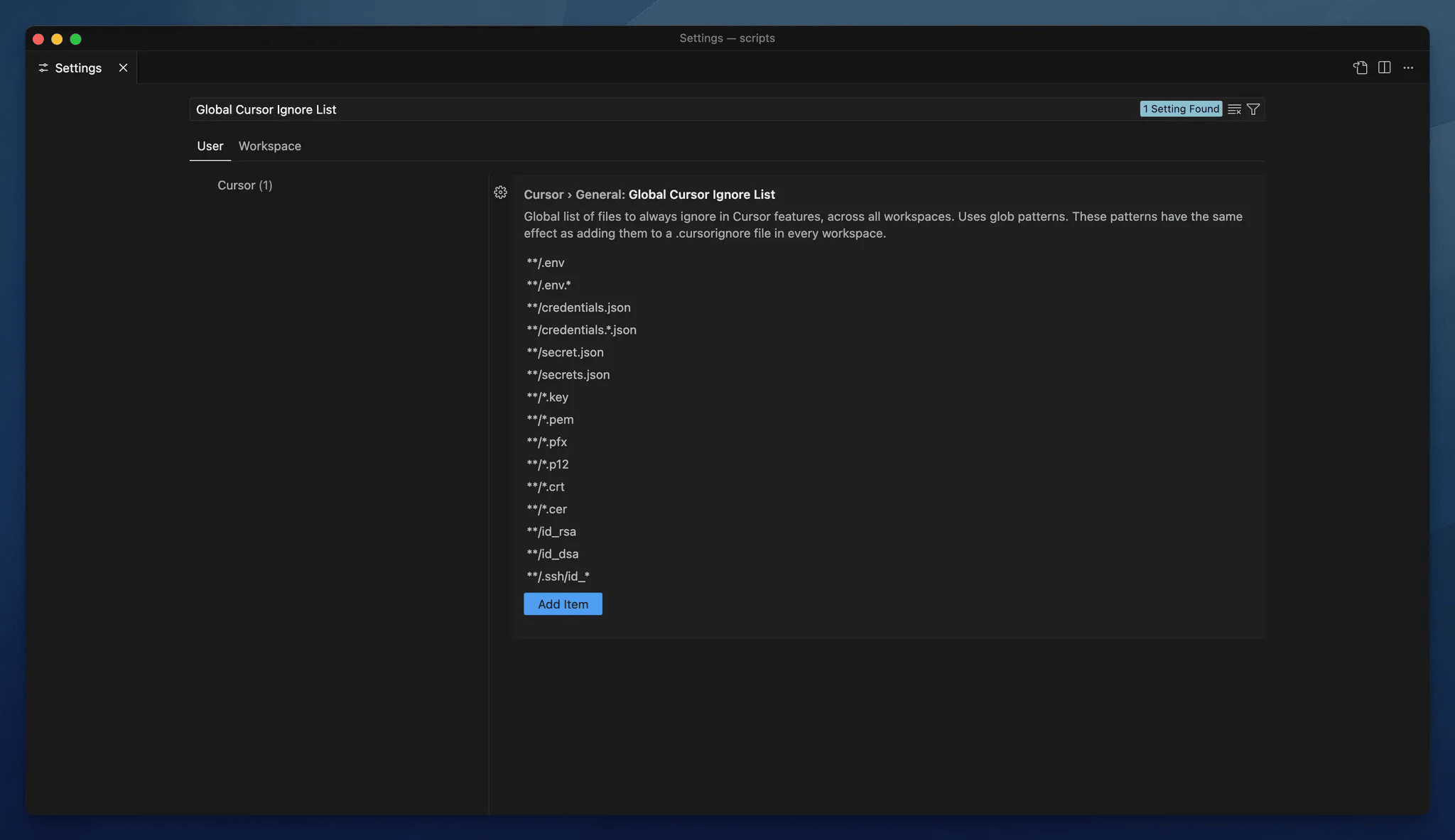

We’ve recently added many more models you can use. Try out Gemini 2.5 Pro, Gemini 2.5 Flash, Grok 3, Grok 3 Mini, GPT-4.1, o3 and o4-mini from model settings.
We’re introducing an option to include project structure in context, which adds your directory structure to the prompt. The agent now gets a clearer sense of how your project is organized, which improves suggestions and navigation of large or nested monorepos.
🚀 Improvements
Chat history has moved into the command palette. You can access it from the “Show history button” in Chat as well as through the Show Chat History command. 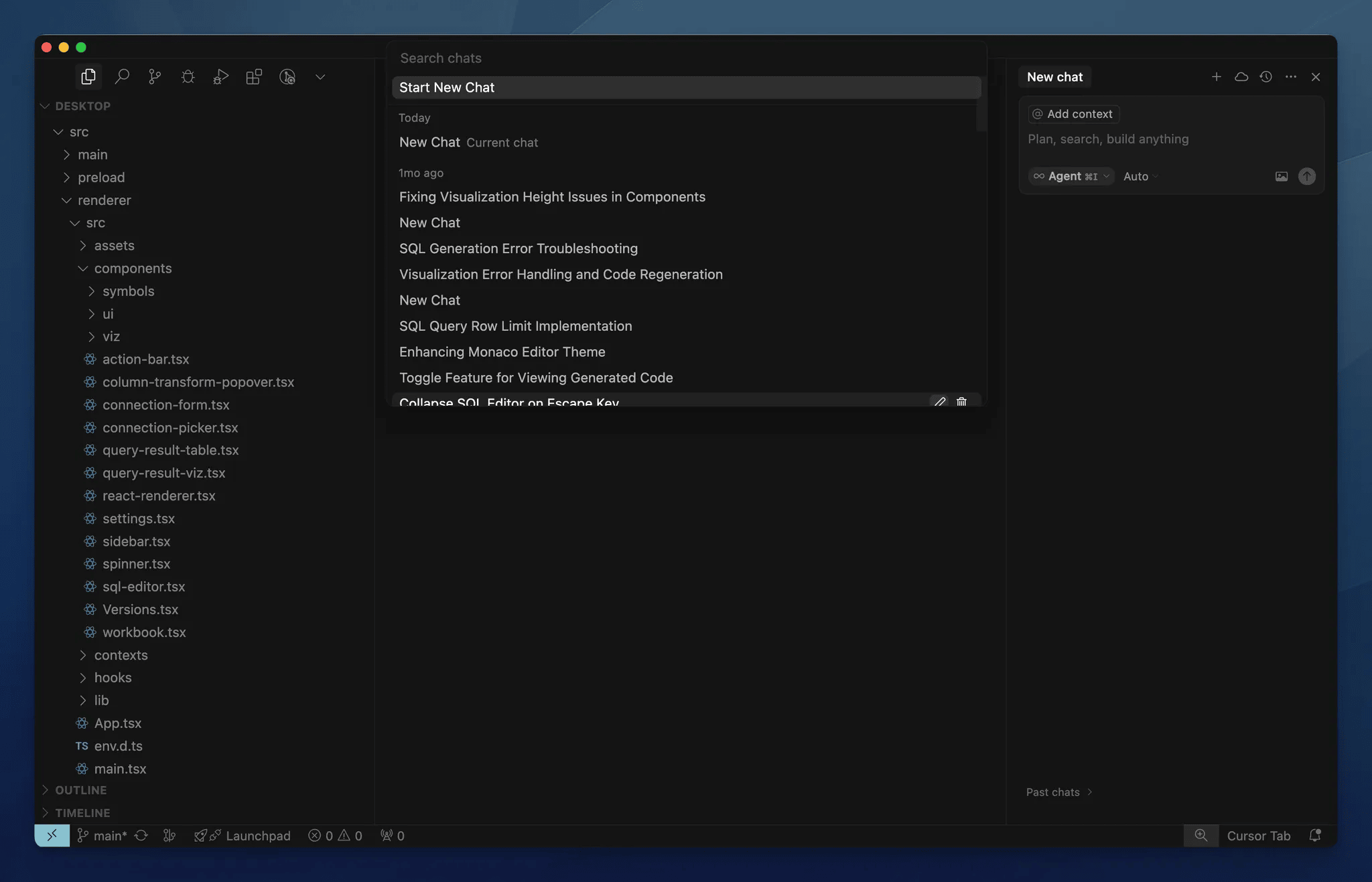

We’ve added more control for you over terminals started by the agent. Commands can now be edited before they run, or skipped entirely. We’ve also renamed “Pop-out” to “Move to background” to better reflect what it does.