Cursor
One of the first AI-native code editors, built on a VS Code fork
✨ New Features
Mention @Cursor in any thread with a prompt like: https://cdn.sanity.io/images/2hv88549/production/1b9e131bada2f638444444b2d4306e529b5fa076-1864x1080.gif?auto=format Agents run remotely in a secure environment and you’ll get updates directly in Slack, including links to Cursor and GitHub, when the work is done.

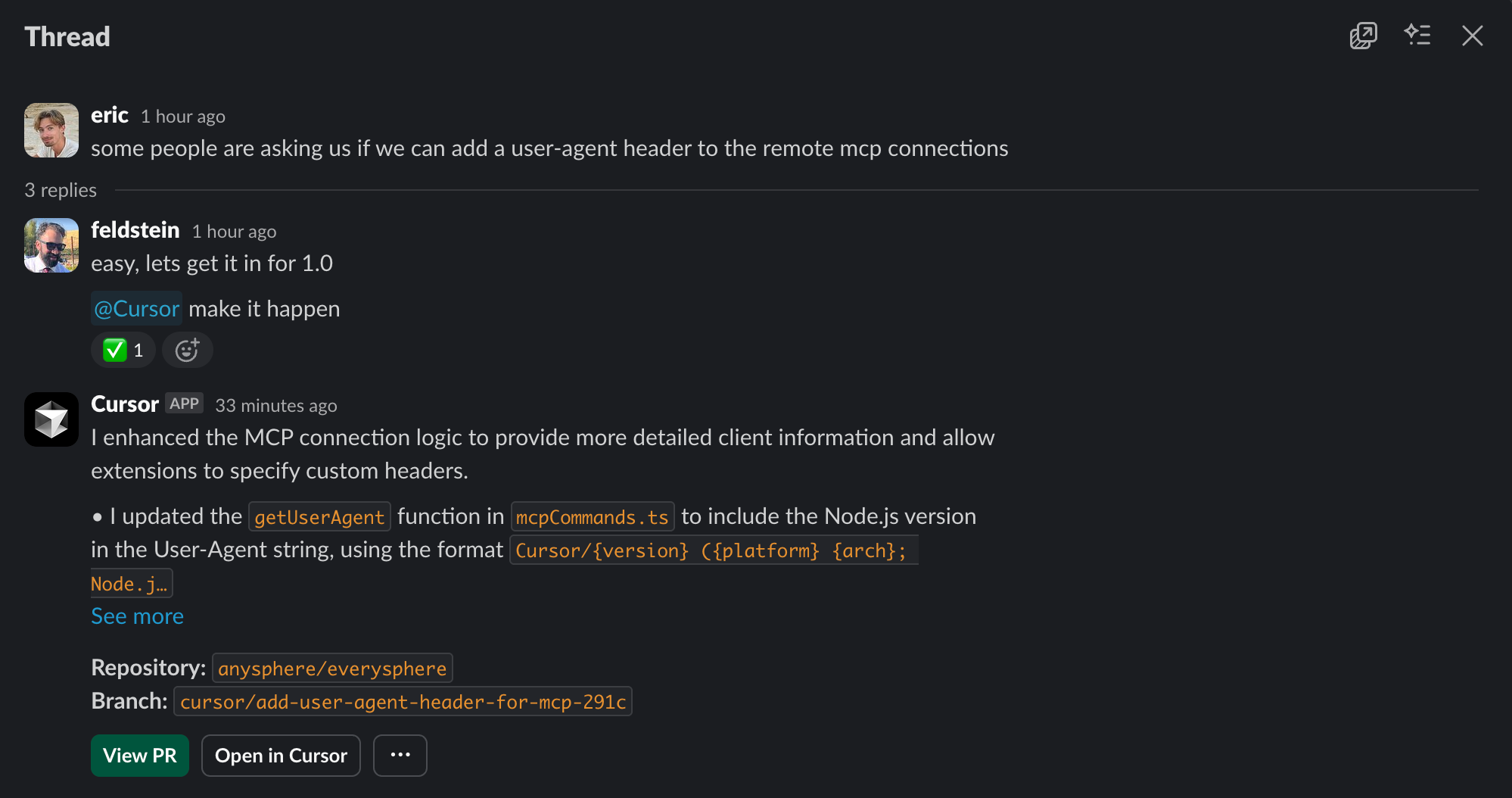
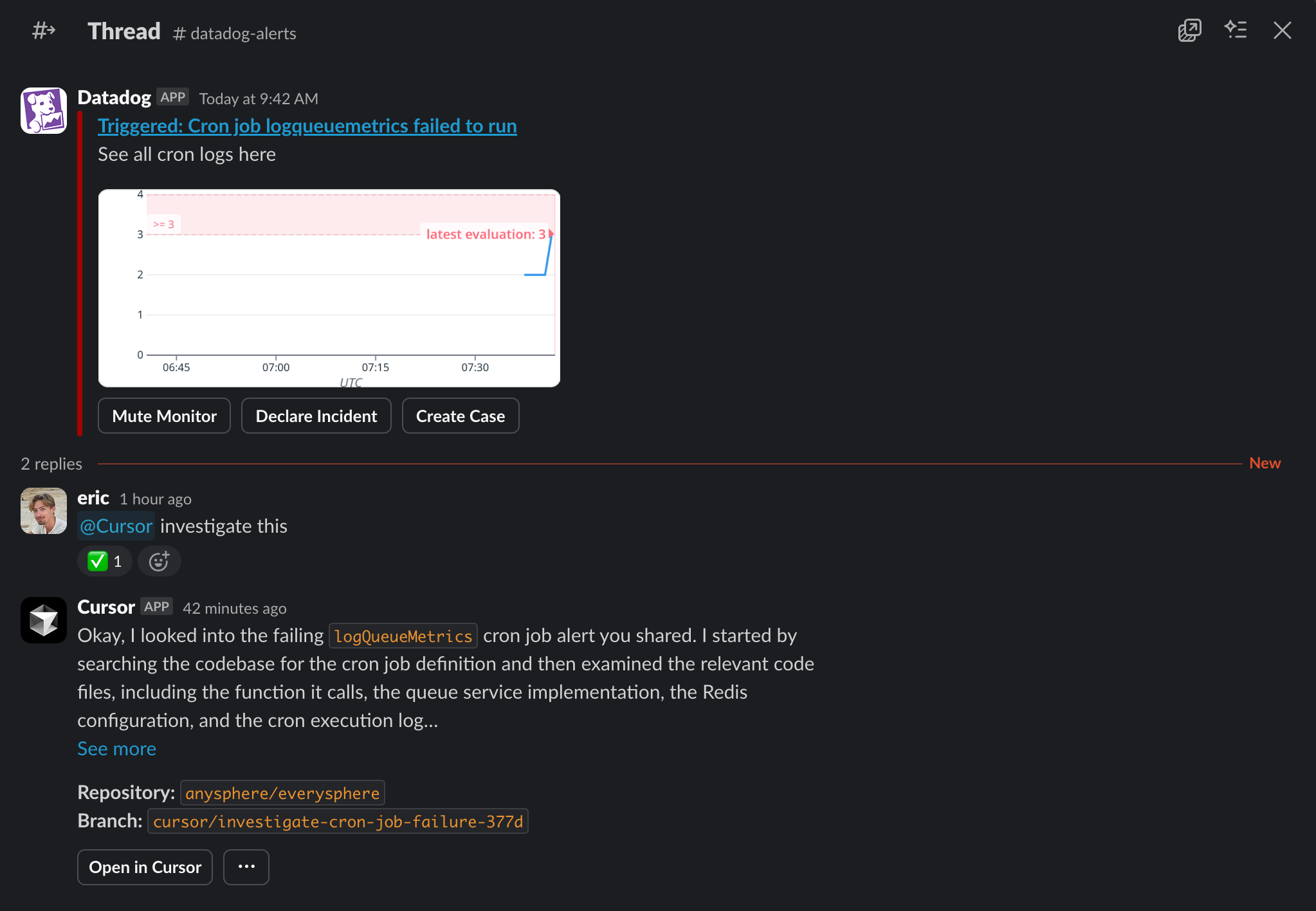
Cursor reads the entire Slack thread before starting, so Background Agents understand the full context when you reference previous discussions or issues. https://cdn.sanity.io/images/2hv88549/production/9bdea8f1bfa4c54240c7ac58b0074f6b0d471528-1998x1054.png?auto=format You can also ask Cursor to investigate issues and get answers: https://cdn.sanity.io/images/2hv88549/production/9c2b7790b4a8f3b6b7d75a5cb8c8d9a9e50c0735-2046x1416.png?auto=format
To use Background Agents in Slack, an admin needs to set up the integration first. Check out our setup documentation or ask your workspace admin to connect Cursor from the Dashboard → Integrations page. Once connected, try it in any channel with @Cursor and write a prompt. Use the command help to see all commands, or settings to configure your default model, repo, and branch.